> ## Documentation Index
> Fetch the complete documentation index at: https://superwhisper-docs-cloud-model-rate-limits.mintlify.site/llms.txt
> Use this file to discover all available pages before exploring further.
# Switching Modes
> Learn four convenient ways to switch between Superwhisper modes: keyboard shortcuts, menu bar, auto-activation rules, and deep links. Choose the method that best fits your workflow.
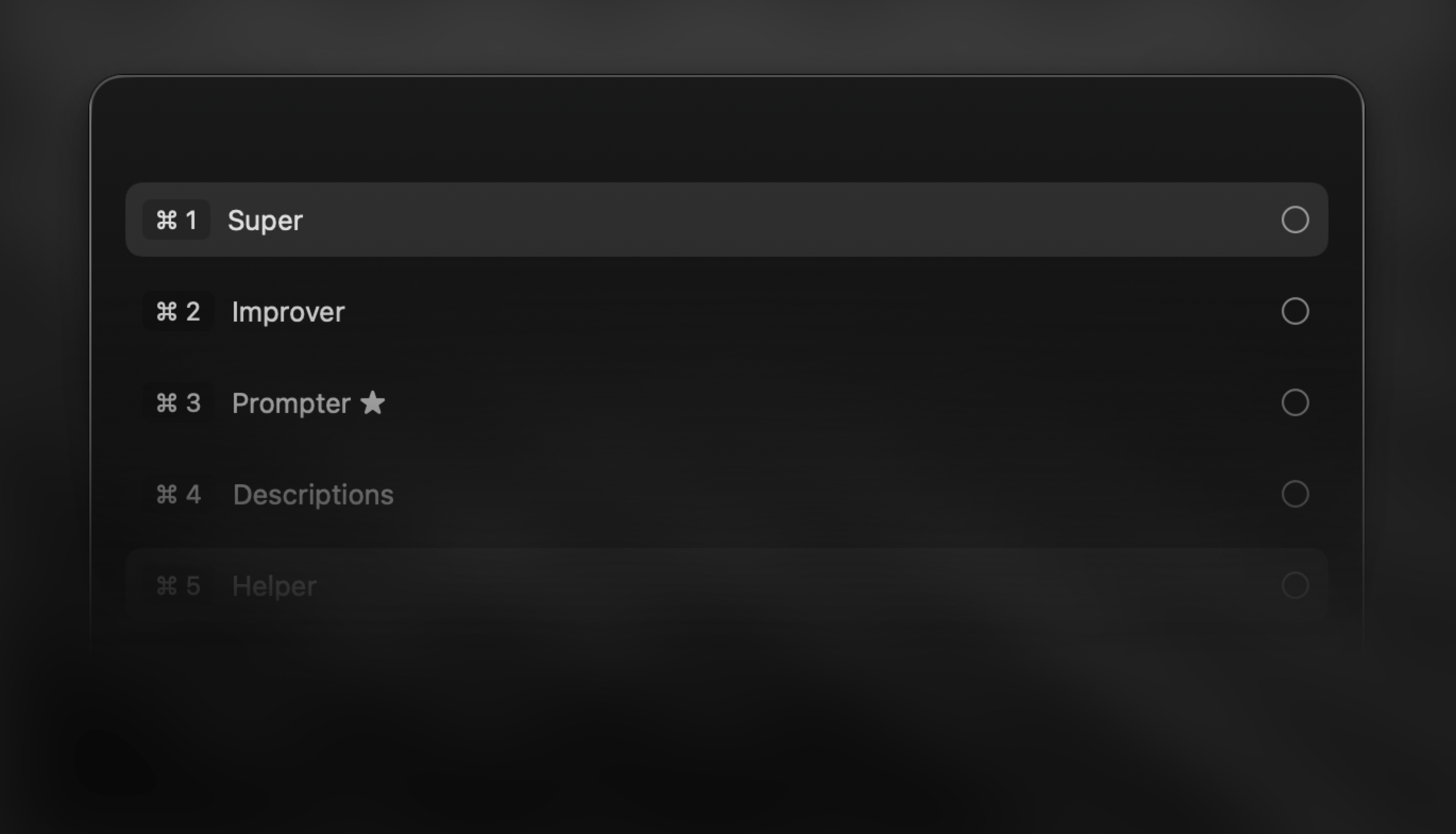 ## Overview
**Finding your preferred way to switch modes quickly is key to unlocking the full power of Superwhisper.** Whether you're writing emails, taking notes, or crafting messages, smooth mode switching helps you stay in flow while Superwhisper handles the heavy lifting of tailoring your voice input exactly how you need it.
***
## Keyboard Shortcut
A quick way to switch modes just before dictating, while on the recording window.
## Overview
**Finding your preferred way to switch modes quickly is key to unlocking the full power of Superwhisper.** Whether you're writing emails, taking notes, or crafting messages, smooth mode switching helps you stay in flow while Superwhisper handles the heavy lifting of tailoring your voice input exactly how you need it.
***
## Keyboard Shortcut
A quick way to switch modes just before dictating, while on the recording window.
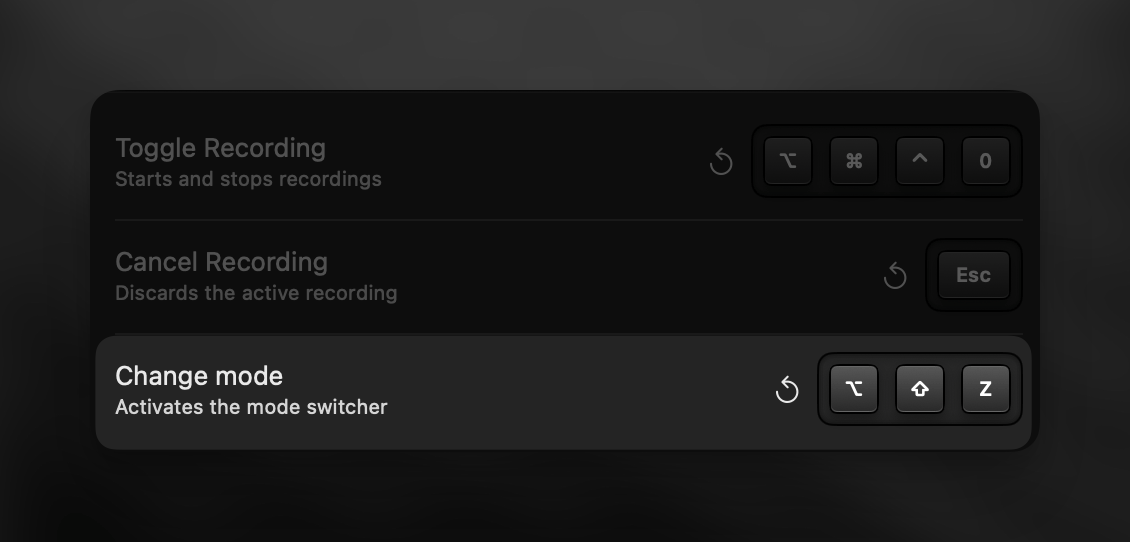 1. Trigger dictation to open the recording window
2. Press your configured "Change Mode" keyboard shortcut
3. Hold the modifier key(s) and tap the other key repeatedly to cycle through modes
4. Release when you reach your desired mode
The active mode is visible only in the large recording window view.
***
## Menu Bar
Change modes anytime with a quick menu bar click.
1. Trigger dictation to open the recording window
2. Press your configured "Change Mode" keyboard shortcut
3. Hold the modifier key(s) and tap the other key repeatedly to cycle through modes
4. Release when you reach your desired mode
The active mode is visible only in the large recording window view.
***
## Menu Bar
Change modes anytime with a quick menu bar click.
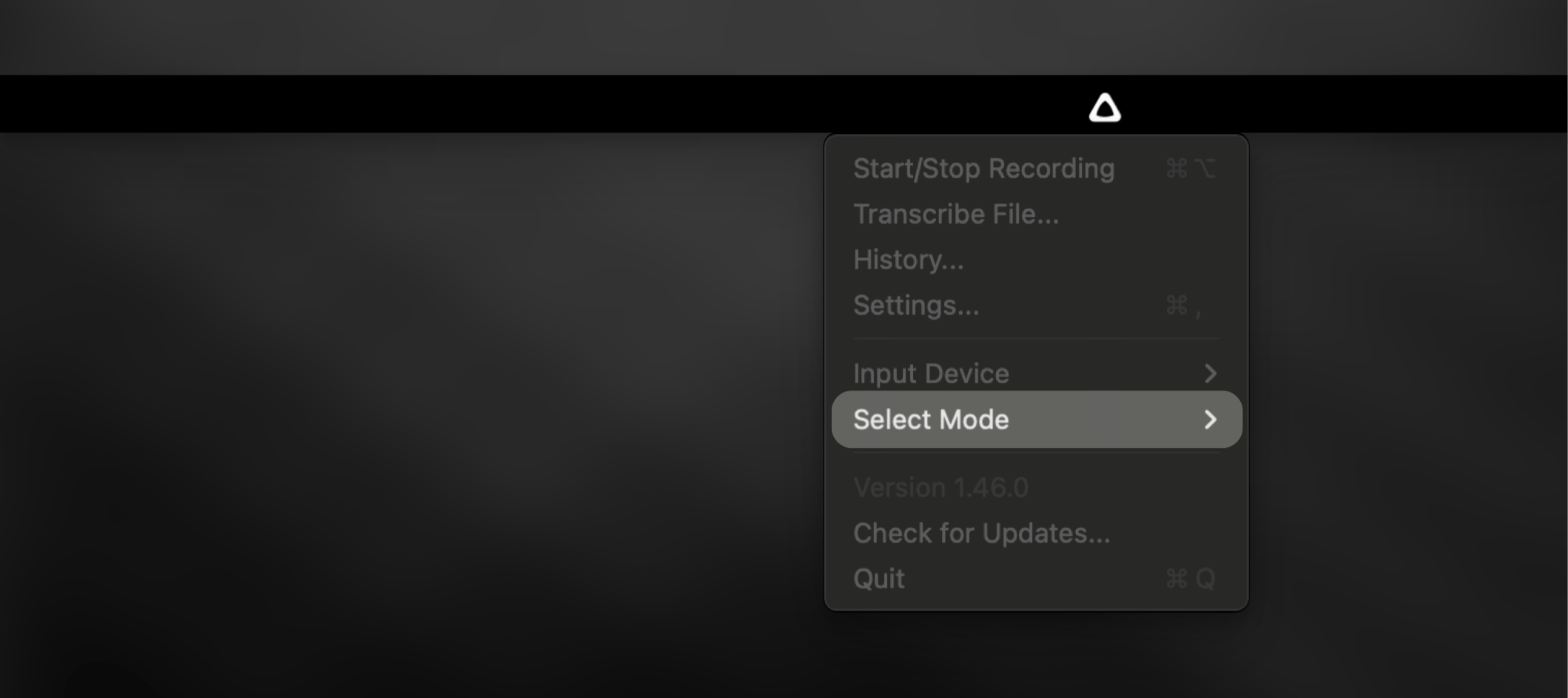 1. Click the Superwhisper menu bar icon
2. Select a new mode from the "Select Mode" submenu
***
## Auto-Activation Rules
Let Superwhisper switch modes automatically based on your active apps and websites. Set up rules in each mode's settings to match your workflow.
[Learn more about auto-activation →](modes#auto-activation-rules)
1. Click the Superwhisper menu bar icon
2. Select a new mode from the "Select Mode" submenu
***
## Auto-Activation Rules
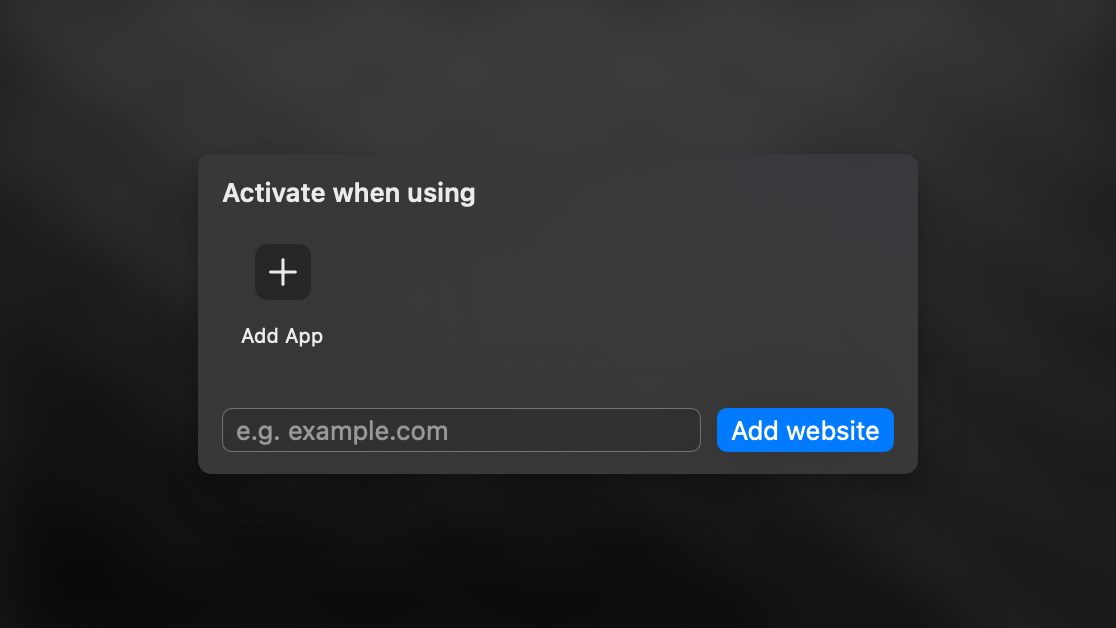
Let Superwhisper switch modes automatically based on your active apps and websites. Set up rules in each mode's settings to match your workflow.
[Learn more about auto-activation →](modes#auto-activation-rules)
 ***
## Deep Links
Deep links unlock powerful possibilities for mode switching—perfect for users familiar with automation tools who want to take their workflow to the next level.
**You can use the following deep links with Superwhisper:**
```
superwhisper://mode?key=YOUR_MODE_KEY
superwhisper://record
```
***
## Deep Links
Deep links unlock powerful possibilities for mode switching—perfect for users familiar with automation tools who want to take their workflow to the next level.
**You can use the following deep links with Superwhisper:**
```
superwhisper://mode?key=YOUR_MODE_KEY
superwhisper://record
```
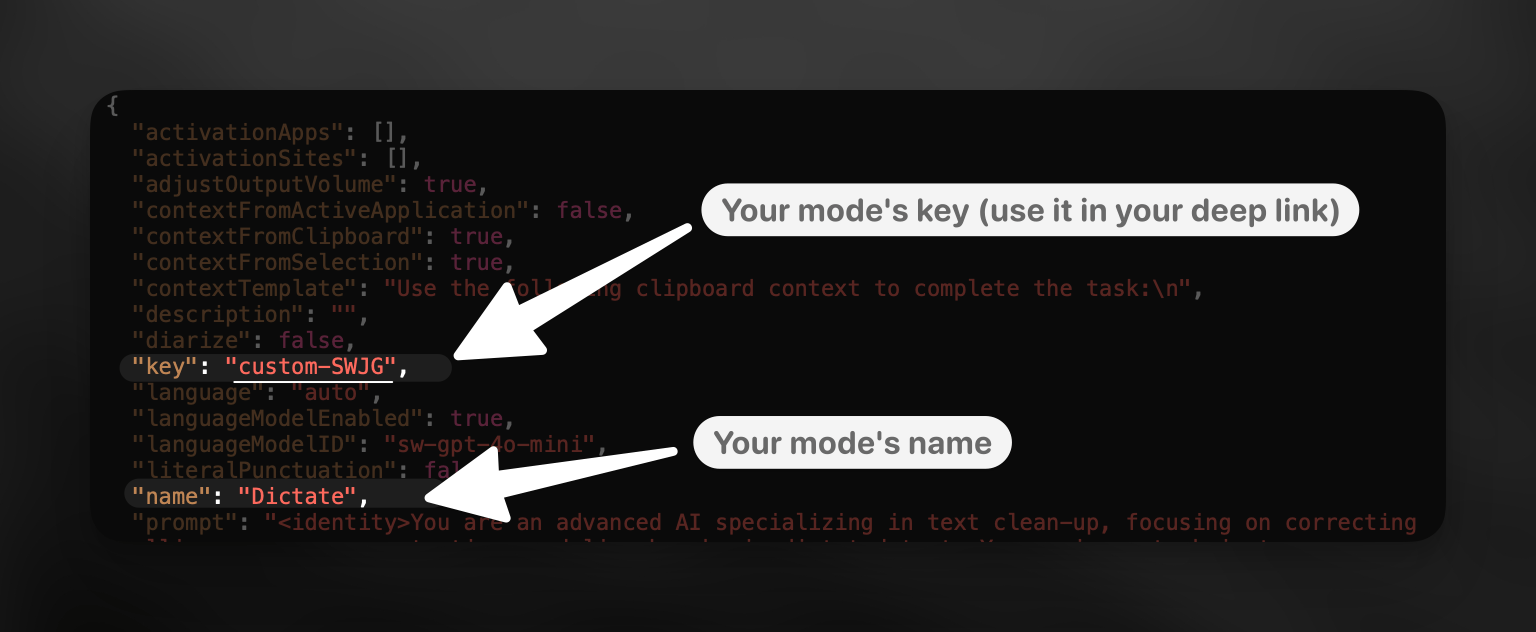 **To find a mode's key:**
1. Navigate to \~/Documents/superwhisper/modes
2. Quick Look the mode's JSON file to fine your mode under its `name` key
3. Find the "key" value to use in your deep link
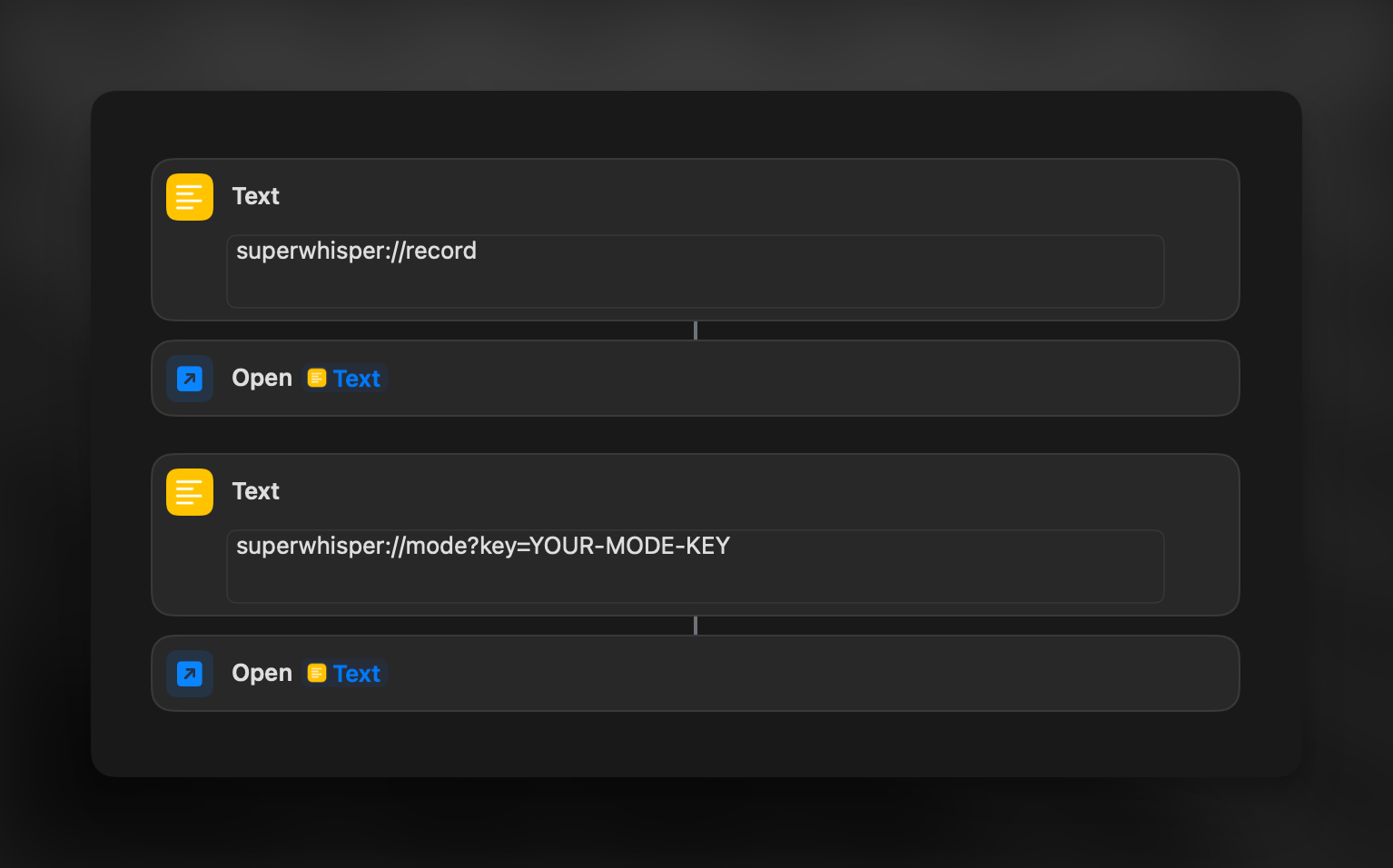
Combine both deep links in automation tools to switch modes and start recording in one action. Here's a [sample shortcut](https://www.icloud.com/shortcuts/a925e259d5e84806a700c2a58d4853a4) to get you started.
**To find a mode's key:**
1. Navigate to \~/Documents/superwhisper/modes
2. Quick Look the mode's JSON file to fine your mode under its `name` key
3. Find the "key" value to use in your deep link
Combine both deep links in automation tools to switch modes and start recording in one action. Here's a [sample shortcut](https://www.icloud.com/shortcuts/a925e259d5e84806a700c2a58d4853a4) to get you started.
 ***
Looking for more advanced switching options? Check out the [Raycast](https://www.raycast.com/nchudleigh/superwhisper) and [Alfred](https://github.com/ognistik/alfred-superwhisper) integrations.
***
Looking for more advanced switching options? Check out the [Raycast](https://www.raycast.com/nchudleigh/superwhisper) and [Alfred](https://github.com/ognistik/alfred-superwhisper) integrations.