> ## Documentation Index
> Fetch the complete documentation index at: https://superwhisper-docs-cloud-model-rate-limits.mintlify.site/llms.txt
> Use this file to discover all available pages before exploring further.
# Reprocess from History
> Learn how to reprocess previous voice recordings with Superwhisper.
## Overview
Superwhisper's History feature allows users to reprocess previous dictations with ease, offering the convenience to retry failed transcriptions or explore different processing options without re-recording.
Ensure you have the desired mode active before reprocessing, as the dictation will be transcribed using your current mode settings.
## Step by Step
You can access the History through two methods:
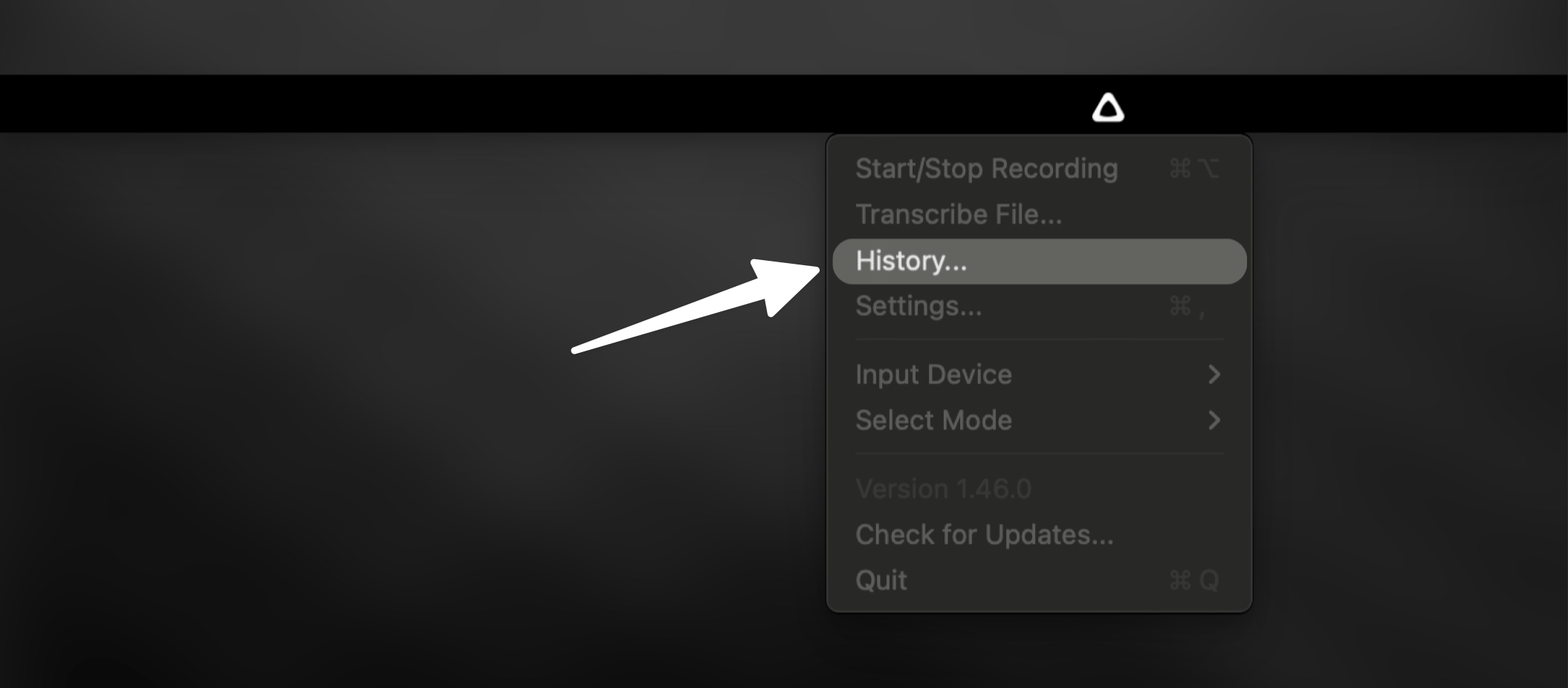
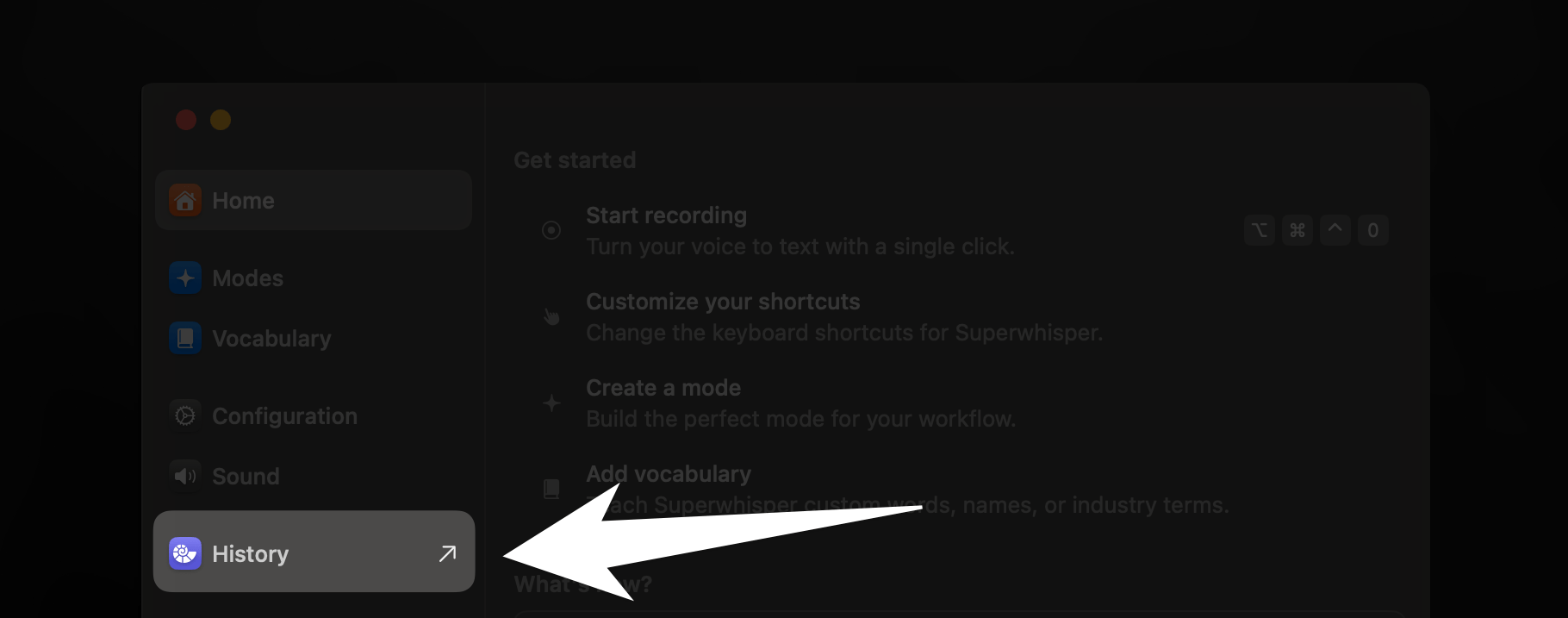
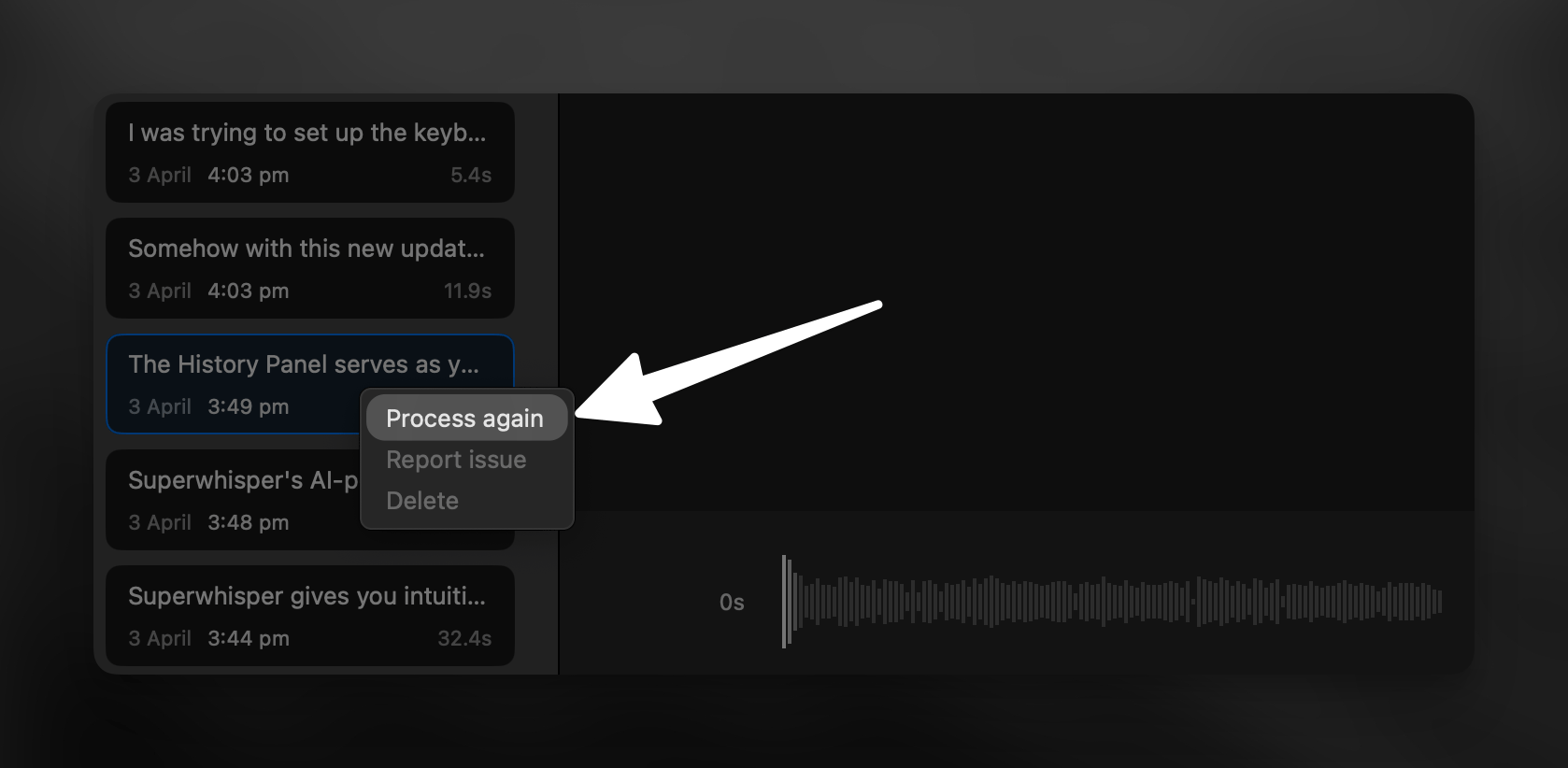
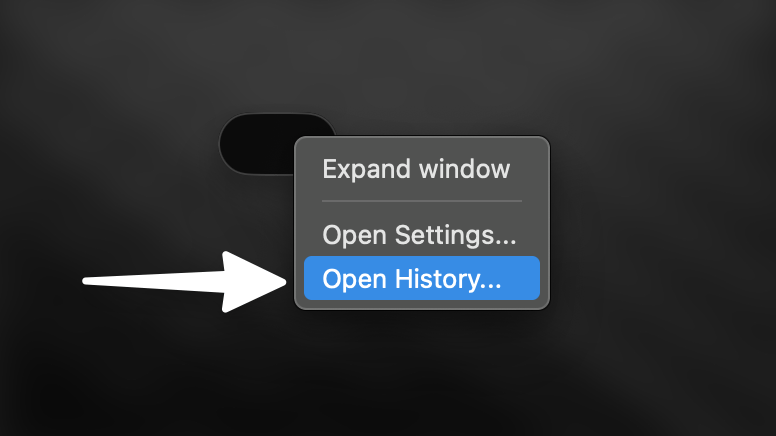 In the History tab, you'll find a list of previous dictations in the left sidebar. Right-click on the desired recording and select "Process Again".
 ***
## Key Benefits
Once you learn how to reprocess dictations through Superwhisper's History feature, a world of flexibility opens up for your transcription workflow. Now you can:
* Avoid re-recording failed transcriptions
* Experiment with different Superwhisper modes
* Easily generate alternative outputs
* Save time and improve workflow efficiency
***
## Related Documentation
Discover more features in Superwhisper's History tab. Analyze results, review AI prompts, troubleshoot transcriptions, and unlock powerful workflow tools.
Transcribe external audio and video files using Superwhisper's modes. Expand your transcription capabilities with flexible file processing.
***
## Key Benefits
Once you learn how to reprocess dictations through Superwhisper's History feature, a world of flexibility opens up for your transcription workflow. Now you can:
* Avoid re-recording failed transcriptions
* Experiment with different Superwhisper modes
* Easily generate alternative outputs
* Save time and improve workflow efficiency
***
## Related Documentation
Discover more features in Superwhisper's History tab. Analyze results, review AI prompts, troubleshoot transcriptions, and unlock powerful workflow tools.
Transcribe external audio and video files using Superwhisper's modes. Expand your transcription capabilities with flexible file processing.