> ## Documentation Index
> Fetch the complete documentation index at: https://superwhisper-docs-cloud-model-rate-limits.mintlify.site/llms.txt
> Use this file to discover all available pages before exploring further.
# Changing Your Plan
> Switch between Free, Pro Monthly, Pro Annual, Lifetime, or move off an Enterprise trial.
Most plan changes are self-serve through the billing portal. A few require a quick note to support.
## Open Your Billing Portal
Head to [superwhisper.com/billing](https://superwhisper.com/billing) and sign in with the email on your account. From there you can:
* View and download invoices
* Update your payment method
* Switch between Monthly and Annual Pro
* Cancel your subscription
The billing portal is for individual Pro plans purchased through superwhisper.com. If you bought through the iOS App Store, manage your subscription in [Settings > Apple ID > Subscriptions](https://apps.apple.com/account/subscriptions) on your device.
## Downgrade Pro to Free
1. Open [superwhisper.com/billing](https://superwhisper.com/billing)
2. Choose **Cancel subscription**
3. Your Pro features stay active until the end of your current billing period, then your account moves to Free automatically
You won't lose your data. Custom modes, vocabulary, and history stay attached to your account if you upgrade again.
## Switch Between Monthly and Annual
Switch billing cadence from [superwhisper.com/billing](https://superwhisper.com/billing). Annual saves about 17% vs Monthly.
## Move to Lifetime
Lifetime is a one-time purchase. If you have an active Monthly or Annual subscription and want to switch:
1. Buy Lifetime at the [Lifetime checkout page](https://superwhisper.com/checkout?product=prod_PbC0YGEVvF3JWL)
2. Email [support@superwhisper.com](mailto:support@superwhisper.com) from the same address
3. We'll refund the unused portion of your existing subscription
## Cancel an Enterprise Trial
The admin or owner on the Enterprise org cancels the trial from the dashboard:
1. Sign in to the [Enterprise dashboard](https://superwhisper.com/dashboard/billing)
2. Go to **Billing**
3. Click **Manage Subscription**
4. Choose **Cancel**
Want to switch back to an individual Pro or Free plan after cancelling? Email [support@superwhisper.com](mailto:support@superwhisper.com) and we'll move you over.
## Moving from Enterprise to Individual
On an Enterprise seat and want to move to an individual Pro or Free plan? Unlink your device from the Enterprise org first. Then purchase a new individual Pro license or reactivate an existing one.
1. Open Superwhisper on your Mac
2. Click **Superwhisper Pro** in the bottom-left corner
3. Click **Unlink device**
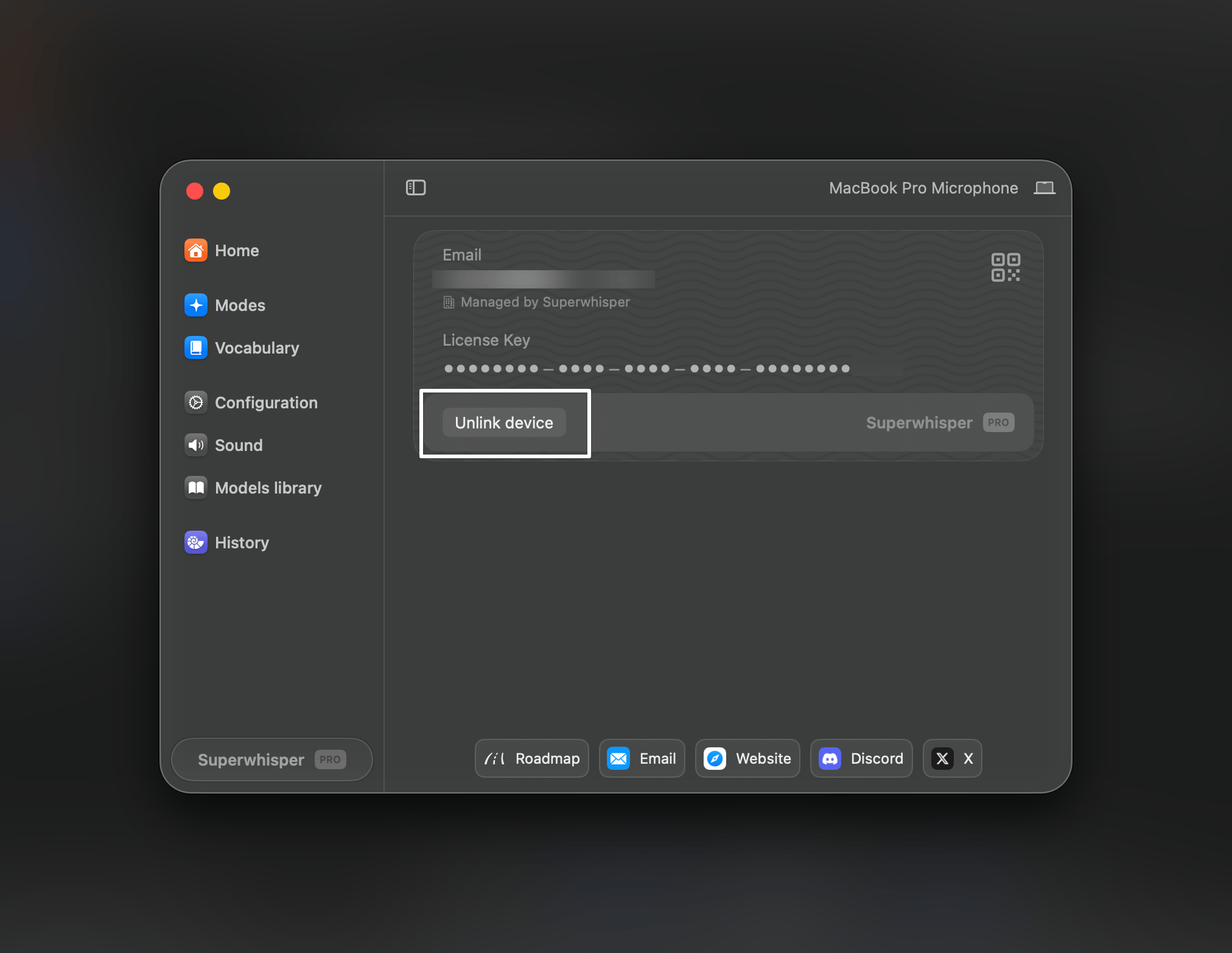 4. Either [purchase an individual Pro plan](https://superwhisper.com) or, if you already had one, email [support@superwhisper.com](mailto:support@superwhisper.com) and we'll resend your license key.
## Refunds
All individual plans come with a 30-day refund window. See [Cancel & Refund](/get-started/cancel-refund) for the details.
4. Either [purchase an individual Pro plan](https://superwhisper.com) or, if you already had one, email [support@superwhisper.com](mailto:support@superwhisper.com) and we'll resend your license key.
## Refunds
All individual plans come with a 30-day refund window. See [Cancel & Refund](/get-started/cancel-refund) for the details.