> ## Documentation Index
> Fetch the complete documentation index at: https://superwhisper-docs-cloud-model-rate-limits.mintlify.site/llms.txt
> Use this file to discover all available pages before exploring further.
# MacOS App Activation
> Learn how to activate your Mac app using your existing iOS App Store subscription.
## Step-by-Step
Get Superwhisper for MacOS from [Our Website](https://superwhisper.com/).
Once installed, open the MacOS app and [navigate to Settings](settings). At the bottom left, click the button labeled “Superwhisper” to enter your license details.
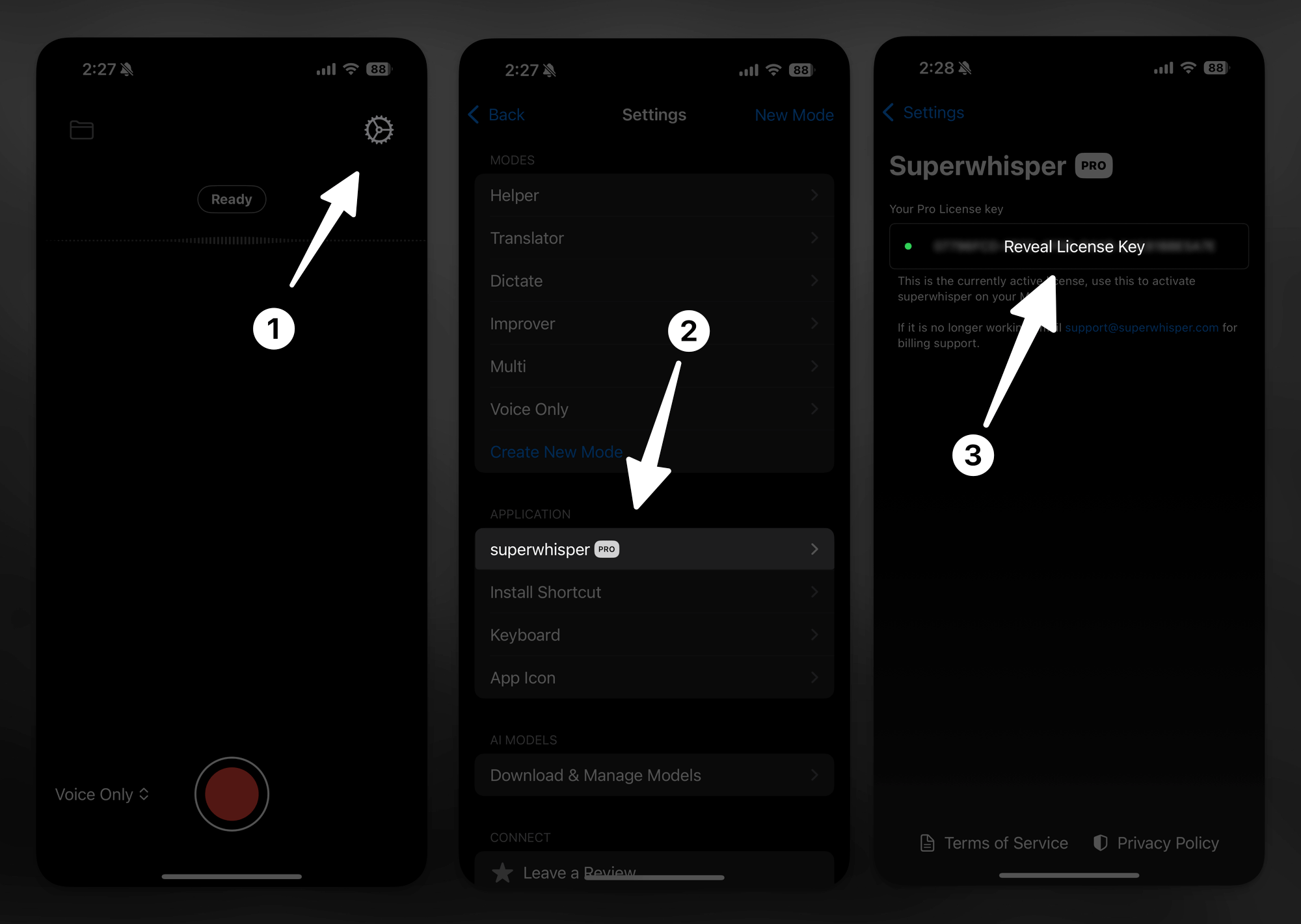
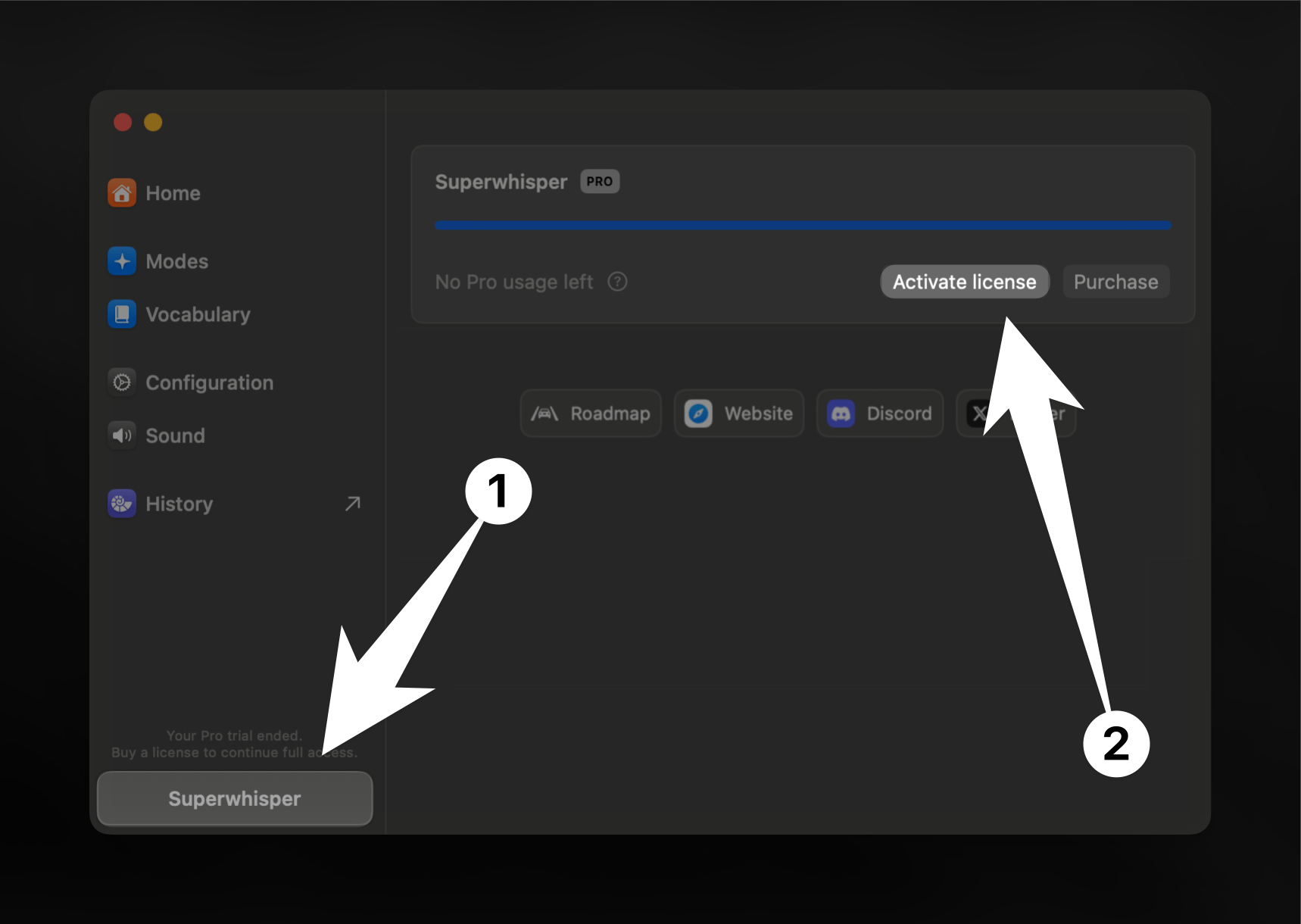 To complete activation, you'll need to copy the key from your iOS app.
1. On your iOS app, go to Settings > "Superwhisper Pro"
2. Locate the "Reveal License Key"
3. Tap it to reveal your key
4. You can then type this into the "License Key" Box on the MacOS app. Be sure to keep the upper case lettering.
To complete activation, you'll need to copy the key from your iOS app.
1. On your iOS app, go to Settings > "Superwhisper Pro"
2. Locate the "Reveal License Key"
3. Tap it to reveal your key
4. You can then type this into the "License Key" Box on the MacOS app. Be sure to keep the upper case lettering.
 ***
## Didn't Get Your License Key?
If you paid for Superwhisper Pro but didn't receive a license key in your inbox:
1. Check your spam or promotions folder for an email from `superwhisper.com`
2. Confirm the email on your order matches the one you're checking
3. Still nothing? Email [support@superwhisper.com](mailto:support@superwhisper.com) with the email or receipt from your purchase and we'll resend it
***
## Troubleshooting
If you bought Superwhisper through the App Store and are experiencing activation issues of the MacOS app, follow this guide to help you resolve your problem.
***
## Didn't Get Your License Key?
If you paid for Superwhisper Pro but didn't receive a license key in your inbox:
1. Check your spam or promotions folder for an email from `superwhisper.com`
2. Confirm the email on your order matches the one you're checking
3. Still nothing? Email [support@superwhisper.com](mailto:support@superwhisper.com) with the email or receipt from your purchase and we'll resend it
***
## Troubleshooting
If you bought Superwhisper through the App Store and are experiencing activation issues of the MacOS app, follow this guide to help you resolve your problem.