> ## Documentation Index
> Fetch the complete documentation index at: https://superwhisper-docs-cloud-model-rate-limits.mintlify.site/llms.txt
> Use this file to discover all available pages before exploring further.
# Configuration
> Org-wide policies for Superwhisper members: model access, recording controls, retention, and API tokens.
The **Configuration** tab in your dashboard is where you set org-wide policies that apply to every member. Settings push to members automatically the next time they launch the app.
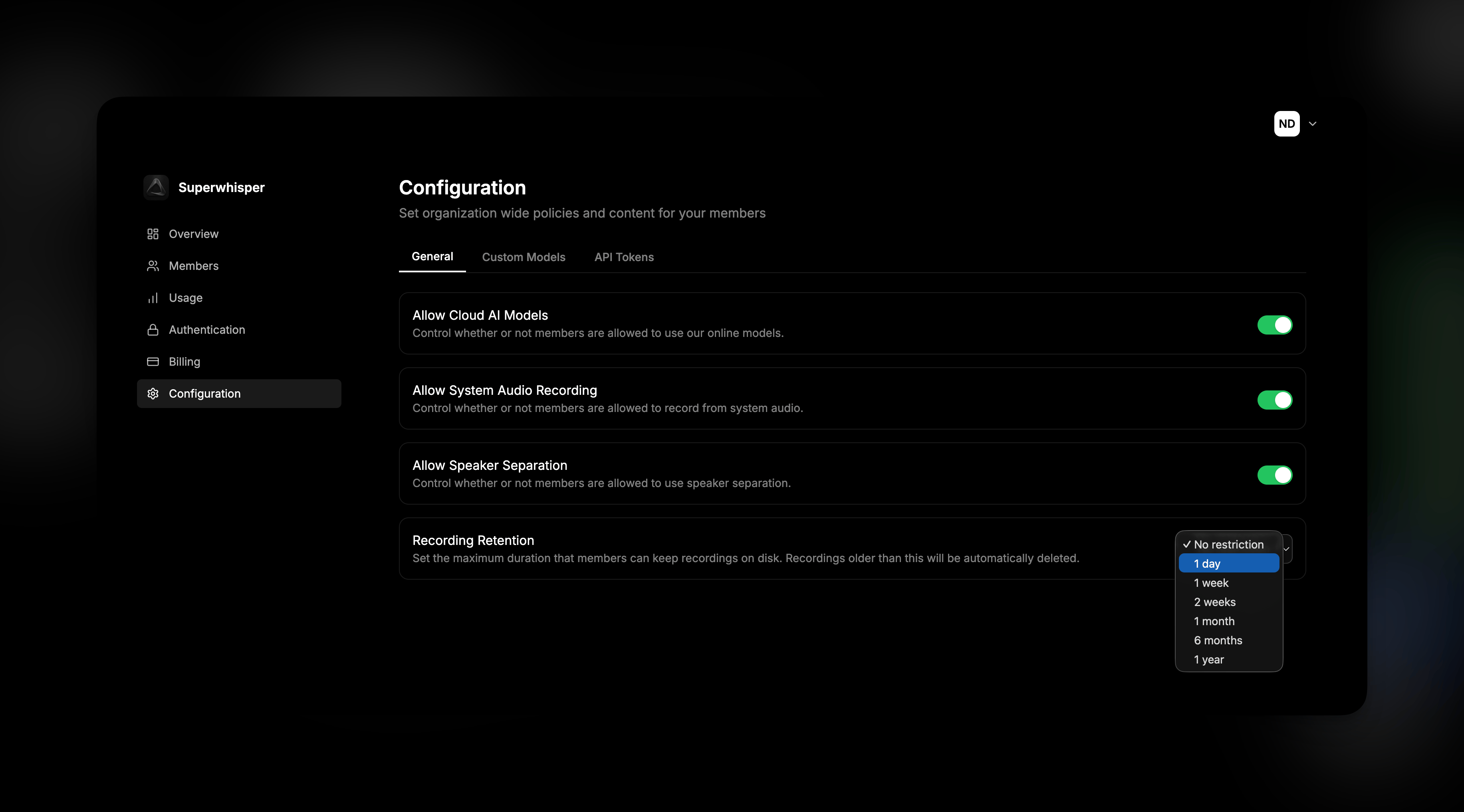 The tab has three sub-sections:
* **General**, toggles for cloud models, system audio, speaker separation, and recording retention
* **Custom Models**, see [Model Management](/enterprise/models)
* **API Tokens**, see [API Overview](/enterprise/api/overview)
## General Settings
### Allow Cloud AI Models
Controls whether members can use Superwhisper's hosted cloud models. When off, members are restricted to local models or [Custom Models](/enterprise/models) you've configured.
Disable this when your organization requires all AI processing to flow through approved vendors with your own API agreements. See [Sensitive Data Best Practices](/security/sensitive-data) for the privacy implications.
### Allow System Audio Recording
Controls whether members can record system audio (the audio your computer is playing) in addition to microphone input. Useful for capturing meeting audio, but some organizations disable it for compliance or data-loss-prevention reasons.
When off, members can only record from the microphone.
### Allow Speaker Separation
Controls whether members can use [Speaker-Separated Meetings](/modes/speaker-separated-meetings) mode, which distinguishes between speakers in a recording.
Disable this if your organization doesn't want speaker diarization performed on recordings.
### Recording Retention
Set the maximum duration that members can keep recordings on disk. Recordings older than this are deleted automatically by the app on each member's machine.
Available values:
* **No restriction** (default)
* **1 day**
* **1 week**
* **2 weeks**
* **1 month**
* **6 months**
* **1 year**
Useful for organizations with data-minimization policies or retention requirements under GDPR, HIPAA, or internal data-governance standards.
Retention enforcement runs on each member's device. It applies to recordings stored locally by Superwhisper, not to anything members have exported or saved elsewhere.
## How Settings Propagate
Configuration changes apply the next time a member launches Superwhisper. Members already in the app keep their current session until they restart. For most settings, no member action is required beyond restarting the app.
## Related
* [Model Management](/enterprise/models), configure custom models and BYO API keys
* [Usage Analytics](/enterprise/usage-analytics), opt-in visibility into how your team uses Superwhisper
* [Sensitive Data Best Practices](/security/sensitive-data), implications of cloud vs local model choices
## Support
Questions about configuration options or how a setting affects your members? Email [enterprise@superwhisper.com](mailto:enterprise@superwhisper.com).
The tab has three sub-sections:
* **General**, toggles for cloud models, system audio, speaker separation, and recording retention
* **Custom Models**, see [Model Management](/enterprise/models)
* **API Tokens**, see [API Overview](/enterprise/api/overview)
## General Settings
### Allow Cloud AI Models
Controls whether members can use Superwhisper's hosted cloud models. When off, members are restricted to local models or [Custom Models](/enterprise/models) you've configured.
Disable this when your organization requires all AI processing to flow through approved vendors with your own API agreements. See [Sensitive Data Best Practices](/security/sensitive-data) for the privacy implications.
### Allow System Audio Recording
Controls whether members can record system audio (the audio your computer is playing) in addition to microphone input. Useful for capturing meeting audio, but some organizations disable it for compliance or data-loss-prevention reasons.
When off, members can only record from the microphone.
### Allow Speaker Separation
Controls whether members can use [Speaker-Separated Meetings](/modes/speaker-separated-meetings) mode, which distinguishes between speakers in a recording.
Disable this if your organization doesn't want speaker diarization performed on recordings.
### Recording Retention
Set the maximum duration that members can keep recordings on disk. Recordings older than this are deleted automatically by the app on each member's machine.
Available values:
* **No restriction** (default)
* **1 day**
* **1 week**
* **2 weeks**
* **1 month**
* **6 months**
* **1 year**
Useful for organizations with data-minimization policies or retention requirements under GDPR, HIPAA, or internal data-governance standards.
Retention enforcement runs on each member's device. It applies to recordings stored locally by Superwhisper, not to anything members have exported or saved elsewhere.
## How Settings Propagate
Configuration changes apply the next time a member launches Superwhisper. Members already in the app keep their current session until they restart. For most settings, no member action is required beyond restarting the app.
## Related
* [Model Management](/enterprise/models), configure custom models and BYO API keys
* [Usage Analytics](/enterprise/usage-analytics), opt-in visibility into how your team uses Superwhisper
* [Sensitive Data Best Practices](/security/sensitive-data), implications of cloud vs local model choices
## Support
Questions about configuration options or how a setting affects your members? Email [enterprise@superwhisper.com](mailto:enterprise@superwhisper.com).