> ## Documentation Index
> Fetch the complete documentation index at: https://superwhisper-docs-cloud-model-rate-limits.mintlify.site/llms.txt
> Use this file to discover all available pages before exploring further.
# Billing & Subscription Management
> Set up billing, manage seats, and control subscription costs for your Superwhisper Enterprise organization.
## Setting Up Billing
### Initial Billing Configuration
From your dashboard, select the **Billing** tab to set up your billing information and create your subscription.
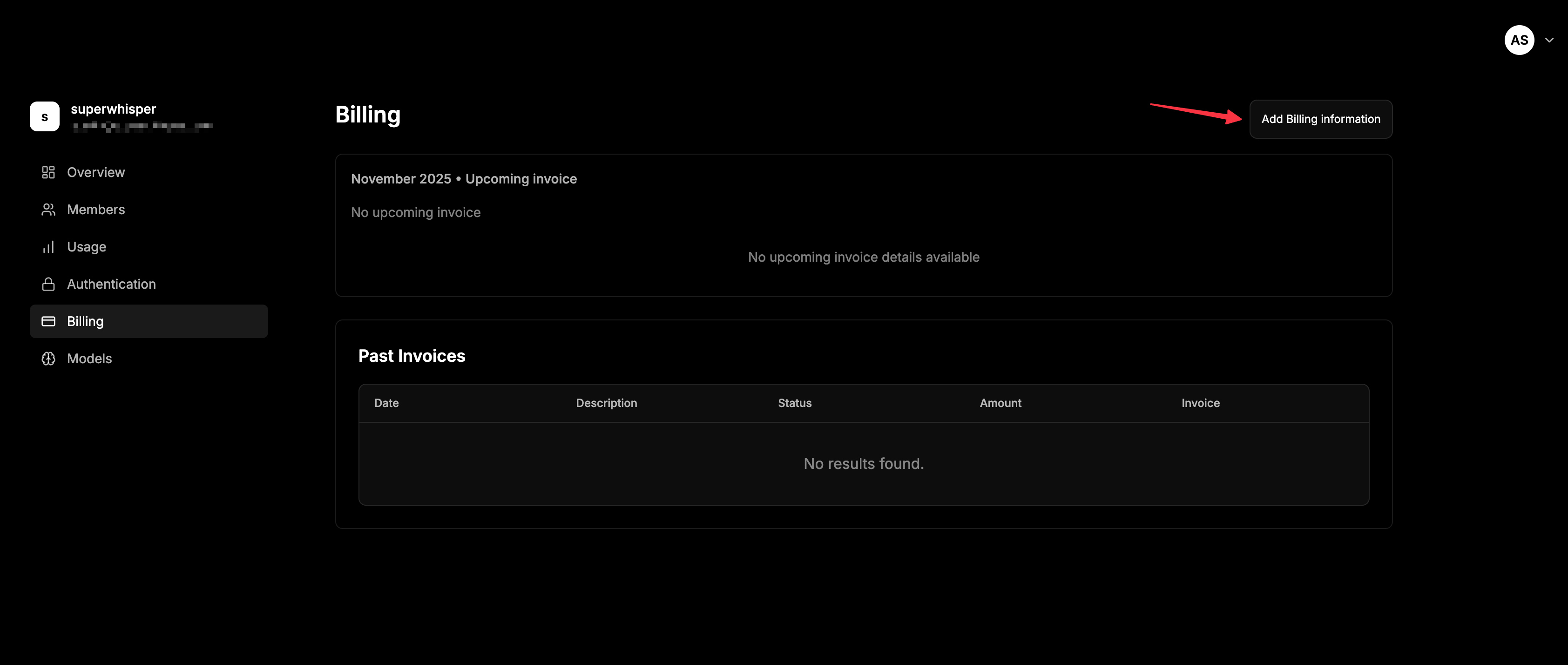 **Important:** Billing information is required in order to provision licenses to members.
### Seat-Based Pricing
Superwhisper Enterprise is seat-based:
* Choose **monthly** or **yearly** billing when creating your subscription
* You're charged for the number of seats purchased
* Purchase more seats to invite additional members
* Remove seats you aren't using
## Managing Your Subscription
**Important:** Billing information is required in order to provision licenses to members.
### Seat-Based Pricing
Superwhisper Enterprise is seat-based:
* Choose **monthly** or **yearly** billing when creating your subscription
* You're charged for the number of seats purchased
* Purchase more seats to invite additional members
* Remove seats you aren't using
## Managing Your Subscription
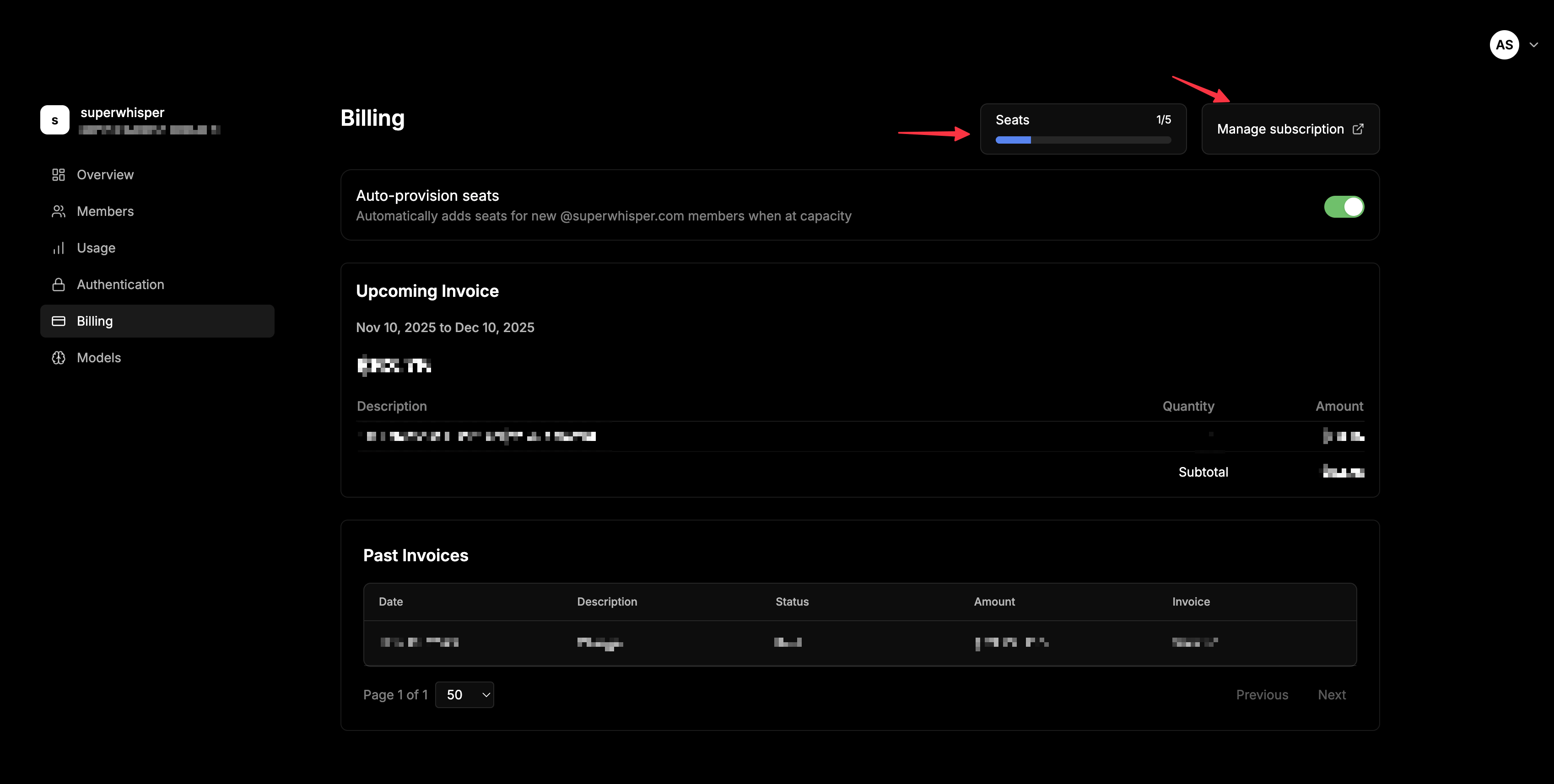 * View your current seat count and usage in the Billing tab
* Add or remove seats as your team size changes
* View billing history and upcoming charges in the Billing tab
## Seat Auto-Provisioning
Once your subscription is created, toggle **seat auto-provisioning** in the Billing tab. When enabled:
* New seats are added automatically when members try to join at capacity
* New team members can join without admin intervention
* No onboarding delays when seats run out
Useful for growing teams where manual seat management slows onboarding.
Without seat auto-provisioning, owners get an email when members try to log in without available seats, prompting them to purchase seats and re-invite the member.
## Keeping Costs Under Control
* **Wire up [SCIM deprovisioning](/enterprise/scim)** so departing employees are removed automatically and their seats freed
* **Quarterly seat audit**: review the Members tab and remove anyone who hasn't activated or hasn't used the app in 60+ days
* **Forecast before you add**: use the in-dashboard billing calculator before bulk-inviting a new team
* **Enable seat auto-provisioning** if you're scaling fast and don't want to gate hires on a manual seat purchase
## Related
* [Member Management](/enterprise/member-management), seat roles and the offboarding flow
* [SCIM Provisioning](/enterprise/scim), automate deprovisioning to free seats
## Support
Questions about billing or subscription management? Email [enterprise@superwhisper.com](mailto:enterprise@superwhisper.com), request a shared Slack channel, or schedule a call.
* View your current seat count and usage in the Billing tab
* Add or remove seats as your team size changes
* View billing history and upcoming charges in the Billing tab
## Seat Auto-Provisioning
Once your subscription is created, toggle **seat auto-provisioning** in the Billing tab. When enabled:
* New seats are added automatically when members try to join at capacity
* New team members can join without admin intervention
* No onboarding delays when seats run out
Useful for growing teams where manual seat management slows onboarding.
Without seat auto-provisioning, owners get an email when members try to log in without available seats, prompting them to purchase seats and re-invite the member.
## Keeping Costs Under Control
* **Wire up [SCIM deprovisioning](/enterprise/scim)** so departing employees are removed automatically and their seats freed
* **Quarterly seat audit**: review the Members tab and remove anyone who hasn't activated or hasn't used the app in 60+ days
* **Forecast before you add**: use the in-dashboard billing calculator before bulk-inviting a new team
* **Enable seat auto-provisioning** if you're scaling fast and don't want to gate hires on a manual seat purchase
## Related
* [Member Management](/enterprise/member-management), seat roles and the offboarding flow
* [SCIM Provisioning](/enterprise/scim), automate deprovisioning to free seats
## Support
Questions about billing or subscription management? Email [enterprise@superwhisper.com](mailto:enterprise@superwhisper.com), request a shared Slack channel, or schedule a call.