> ## Documentation Index
> Fetch the complete documentation index at: https://superwhisper-docs-cloud-model-rate-limits.mintlify.site/llms.txt
> Use this file to discover all available pages before exploring further.
# Realtime Transcription
> Learn why the Realtime feature might be unavailable and how to enable it in Superwhisper.
 ## Overview
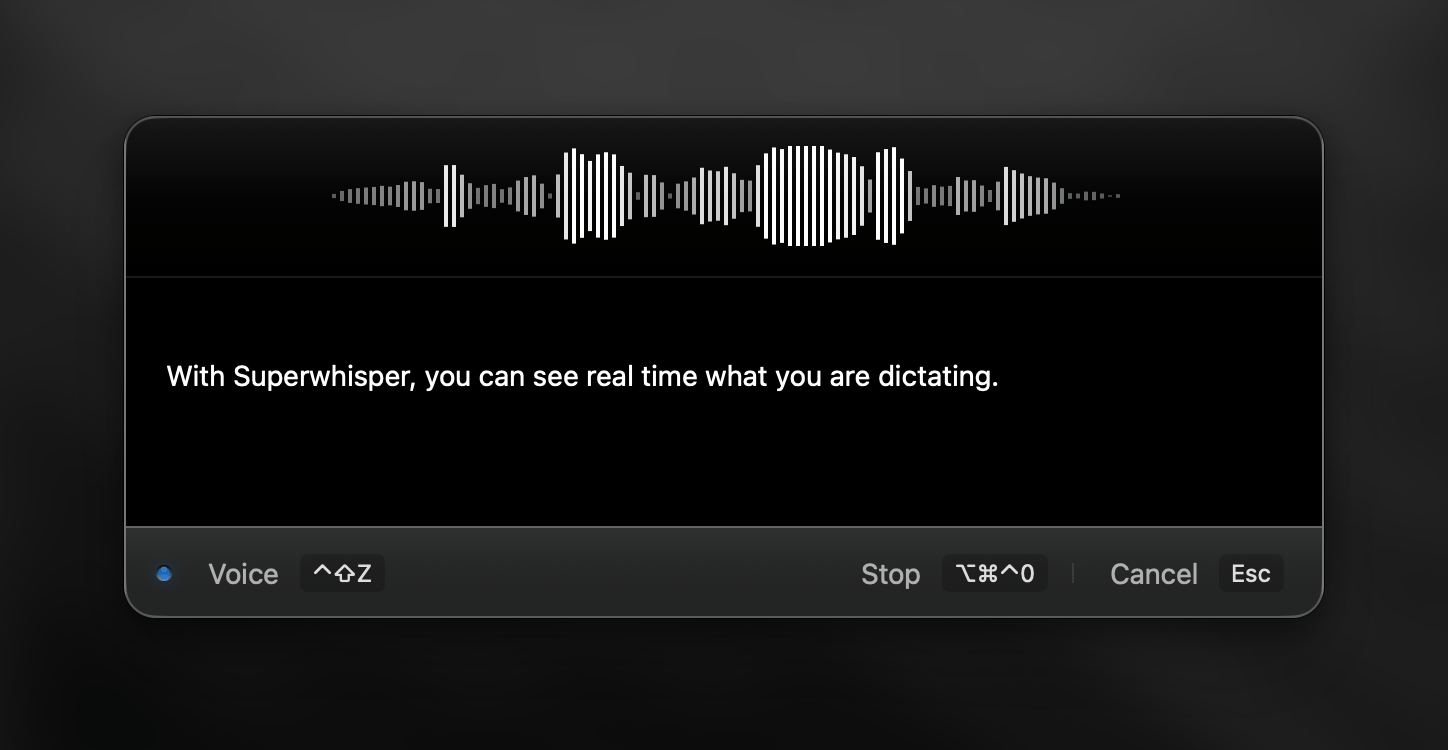
The Realtime Transcription feature in Superwhisper lets you see your words appear on screen as you speak. This live dictation capability shows your words on screen as you speak, giving you immediate feedback on accuracy and letting you adjust your speech in real time. Currently, this feature is **only supported by the Nova (Cloud) Voice models**.
***
## Step-by-Step Process
Follow these steps to enable the Realtime Transcription feature:
Open Superwhisper and navigate to the mode you wish to edit
Navigate to the "Voice model/Model" section in the Advanced Settings sidebar and select a "Nova" model from the dropdown menu
## Overview
The Realtime Transcription feature in Superwhisper lets you see your words appear on screen as you speak. This live dictation capability shows your words on screen as you speak, giving you immediate feedback on accuracy and letting you adjust your speech in real time. Currently, this feature is **only supported by the Nova (Cloud) Voice models**.
***
## Step-by-Step Process
Follow these steps to enable the Realtime Transcription feature:
Open Superwhisper and navigate to the mode you wish to edit
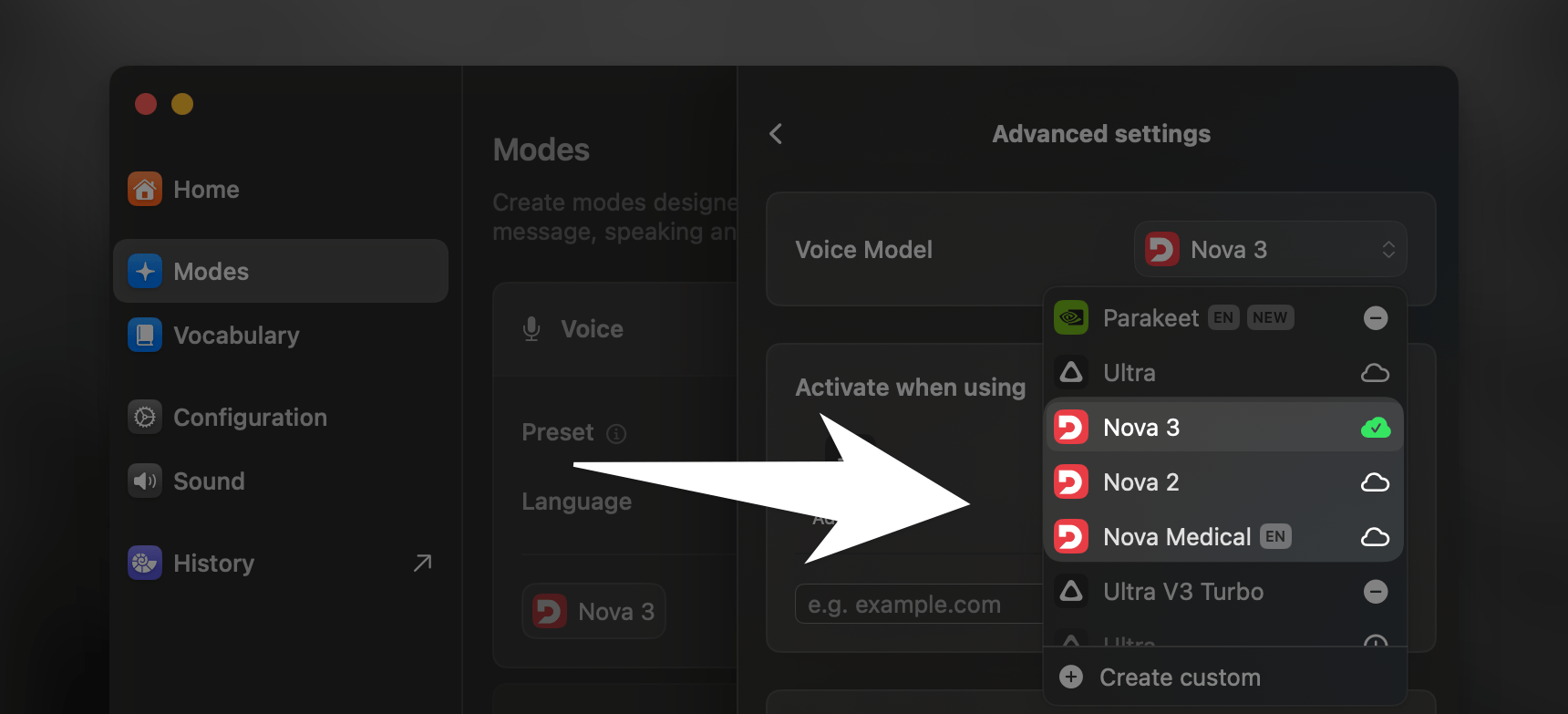
Navigate to the "Voice model/Model" section in the Advanced Settings sidebar and select a "Nova" model from the dropdown menu
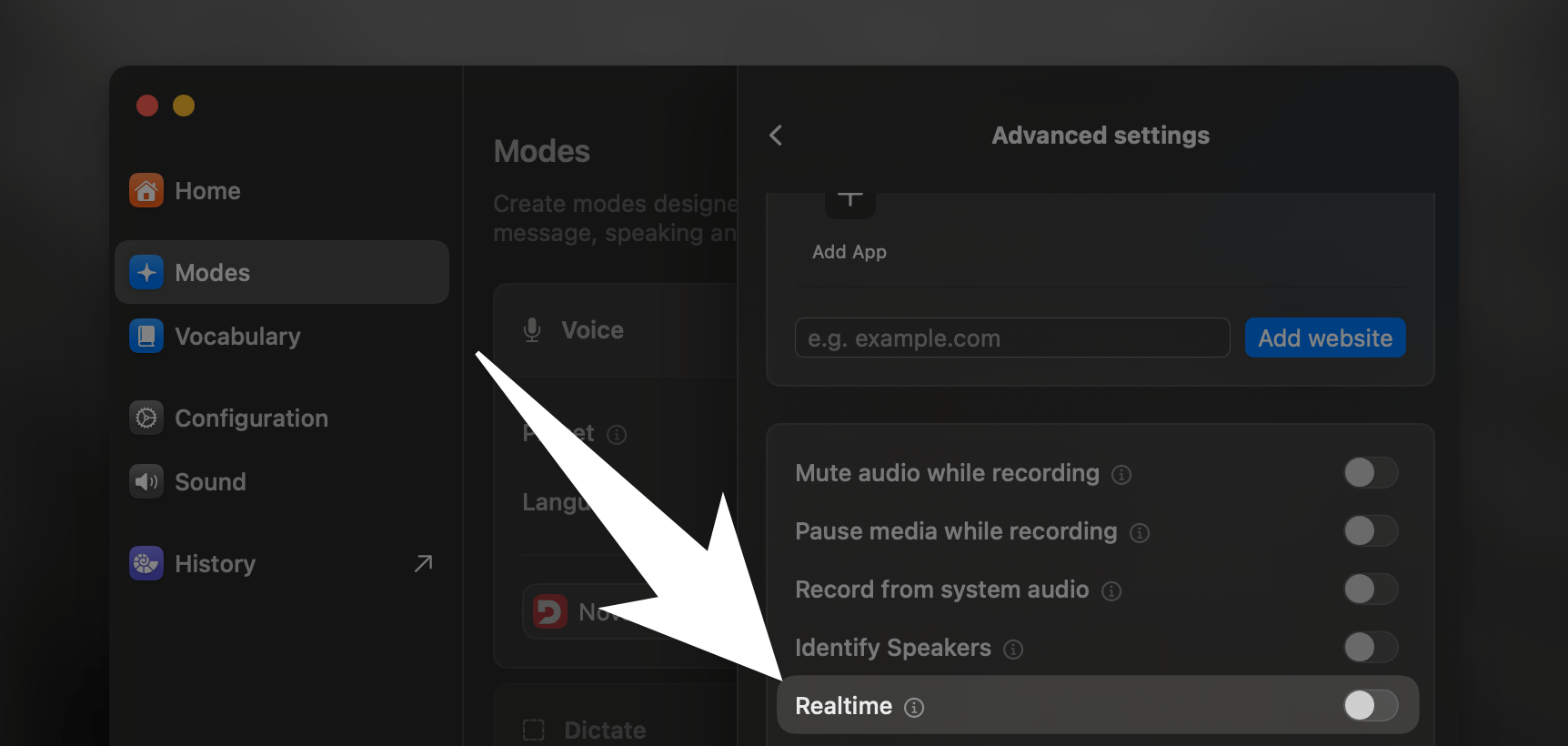
 Once the Nova model is selected, the Realtime feature will become available. Toggle the slider to enable it